Creating Interactions
There’s one last thing we need to do to tie this game together. Let’s add code to decide what happens when two different objects hit each other!
Asteroids Hitting Your Spaceship
Section titled “Asteroids Hitting Your Spaceship”Look for the on sprite of kind _ overlaps otherSprite of kind _ block via search or in the Sprites tab:

Place it as a new separate block in your workspace. Make sure the first kind is Enemy and the second kind is Player. That means this block will execute when an Enemy (like our asteroids) overlaps a Player (like our spaceship).
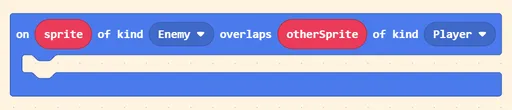
[!warning] Which sprites do I use? The above block is special, and you should only use
spriteorotherSpritein these blocks. Do not usemySprite,myAsteroid, or any sprites created outside of this block.
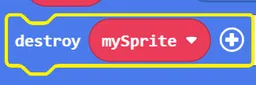
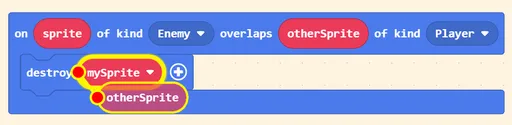
Next, look for the destroy mySprite block via search or in the Math tab, and place it in the overlaps block we just created.
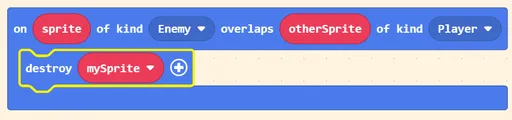
Then, drag the otherSprite capsule towards mySprite to replace it.
Pres the (+) icon, and add any effect you want! We will use fire.
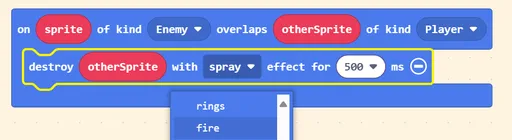
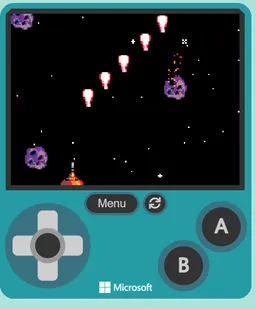
Now, if you try press Play ▶, your spaceship will be destroyed when an asteroid hits it!
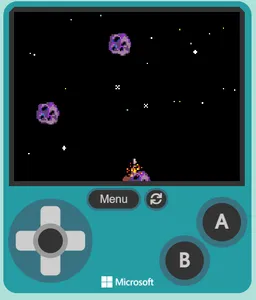
Spaceship Lasers
Section titled “Spaceship Lasers”Now that the spaceship can get destroyed by asteroids, it’s getting difficult to survive for long. Let’s make the spaceship shoot lasers to help!
Shooting Lasers
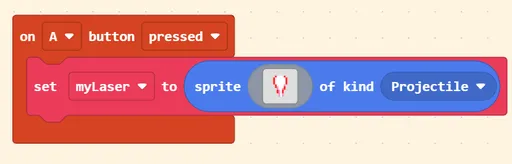
Section titled “Shooting Lasers”Look for the on A button pressed block via search or in the Controller tab, and place it into your workspace.
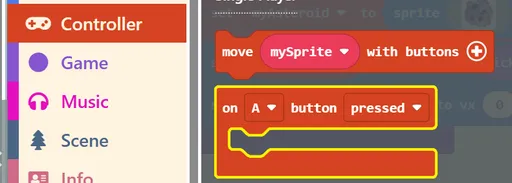
Then, look for the set mySprite to sprite _ of kind Player block via search or in the Sprites tab, and:
- Rename
mySpritetomyLaser, or anything you prefer, and - Change kind
PlayertoProjectile:
Next:
- Look for the
set mySprite position to x _ y _block via search or in the Sprites tab, then: - Change
mySpritetomyLaser(or whichever you used previously), and - Look for the
mySprite xblock in Sprites
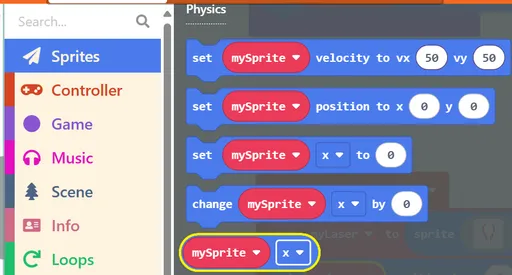
In the end, you should have a block that looks like below:

Finally, look for the set mySprite velocity to vx _ vy_ block in Sprites. Change mySprite to mylaser and set vy to -100.
This is the final result:
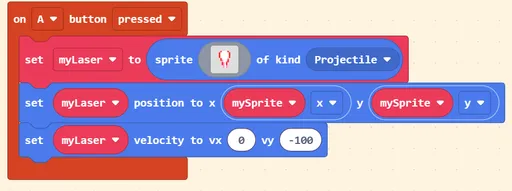
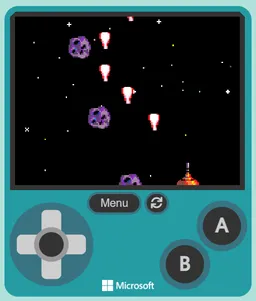
Press Play ▶, and press the A button on the controller, or press x on your keyboard. Your spaceship will now shoot lasers!
Making Lasers Destroy Asteroids
Section titled “Making Lasers Destroy Asteroids”You can shoot lasers, but they don’t do anything right now. Let’s give them the ability to destroy asteroids!
Once again, look for the on sprite of kind _ overlaps otherSprite of kind _ block via search or in the Sprites tab.
This time, set the first kind to Projectile (your laser) and the second kind to Enemy (the asteroids).

Then,
- Look for the
destroy mySpriteblock and insert it. ChangemySpritetootherSpriteand optionally choose whatever effect you’d like. - Grab another
destroy mySpriteblock and insert it. ChangemySpritetosprite.
This way, both the asteroid and laser disappear when they collide.
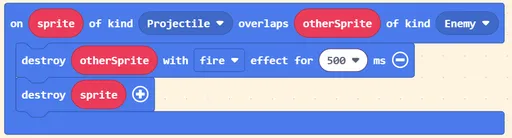
Press Play ▶, and start shooting asteroids. Now you’ll see the asteroids burn up when the lasers hit them!